Product Updates

Engine
Surface
AI Workflows
Area
Release Status

Showing 271 - 280 of 355 updates

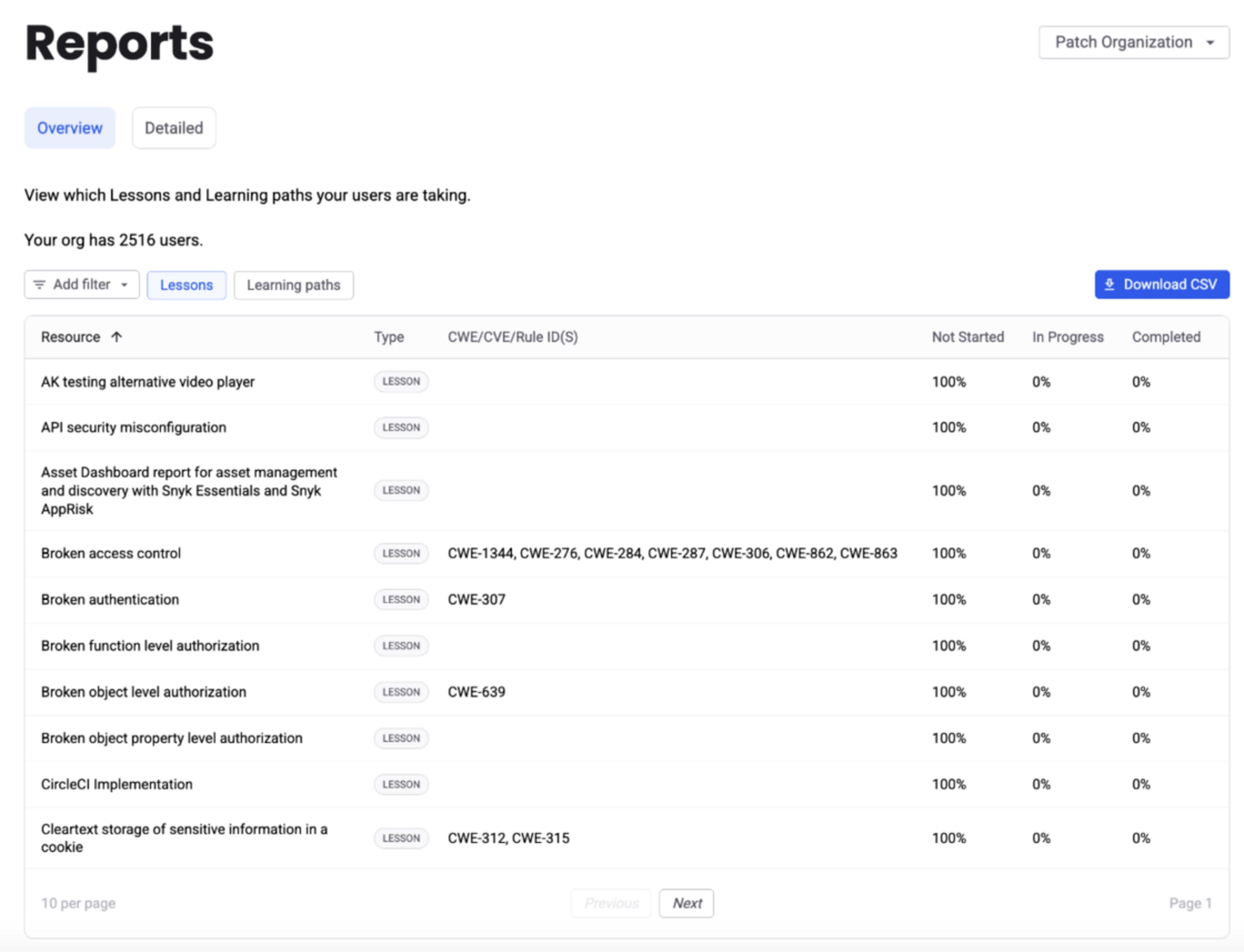
Improved Import Logs and General Availability

Improved

After previewing the experience for over a year we are pleased to announce the General Availability of our new and improved Import Logs page.

Along with this general availability, we are introducing further benefits to the Import Logs, including:

  1. Historical information on what was imported into your Snyk Organization

  2. Rich error information for several ecosystems – including Go, npm, .Net, Maven, and PIP – supporting troubleshooting and remediation when an import fails

This is being rolled out incrementally and will show up in your Snyk Org over the coming several days.

For more information, see the docs.

Headshot of Steve Winton

Steve Winton | Principal Product Manager

Introducing SLA Management & Featured Zero-Day Reports

New

We are thrilled to announce the addition of two new insightful reports to our growing list of reporting features: the SLA Management report and the Featured Zero-Day report.

Here's a quick overview of what you can expect from each:

  • SLA Management Report

    1. Monitor SLA compliance across orgs based on your own SLA policy

    2. Identify issues that will soon breach the SLA policy

    3. Prioritize issues based on SLA considerations

  • Featured Zero-Day Report

    1. Analyze the exposure to issues reported in a Zero-Day publication

    2. Prioritize issues of a specific Zero-Day publication

    3. Track the Zero-Day vulnerability eradication progress

These additions complement our existing suite of reports, further empowering AppSec practitioners and R&D leaders to make informed decisions, govern the AppSec program and improve the enterprise posture health.

To learn more about each report visit our product documentation.

Snyk Code Improvements: Support for LLM Sources

Improved

As adoption of LLM platforms like OpenAI and Gemini grows, so does the security risk associated with using them. We’ve added LLM sources to our ruleset which means the taint vulnerabilities supported by Snyk Code will now report when untrusted data from an LLM reaches a sensitive function. This greatly expands our coverage in the fast growing AI domain across all of our supported languages.

We are committed to enabling our customers to securely leverage cutting edge AI tools and libraries. Our analysts will continue to research this topic in detail, and we will periodically publish this research in our blog. You can read the latest post on code injection vulnerabilities in Python caused by Generative AI.

If you have any questions, or want a detailed list of LLM libraries added, please reach out to your account teams.

Headshot of Ranko Cupovic

Ranko Cupovic | Principal Product Manager

Snyk AppRisk Pro now available

New

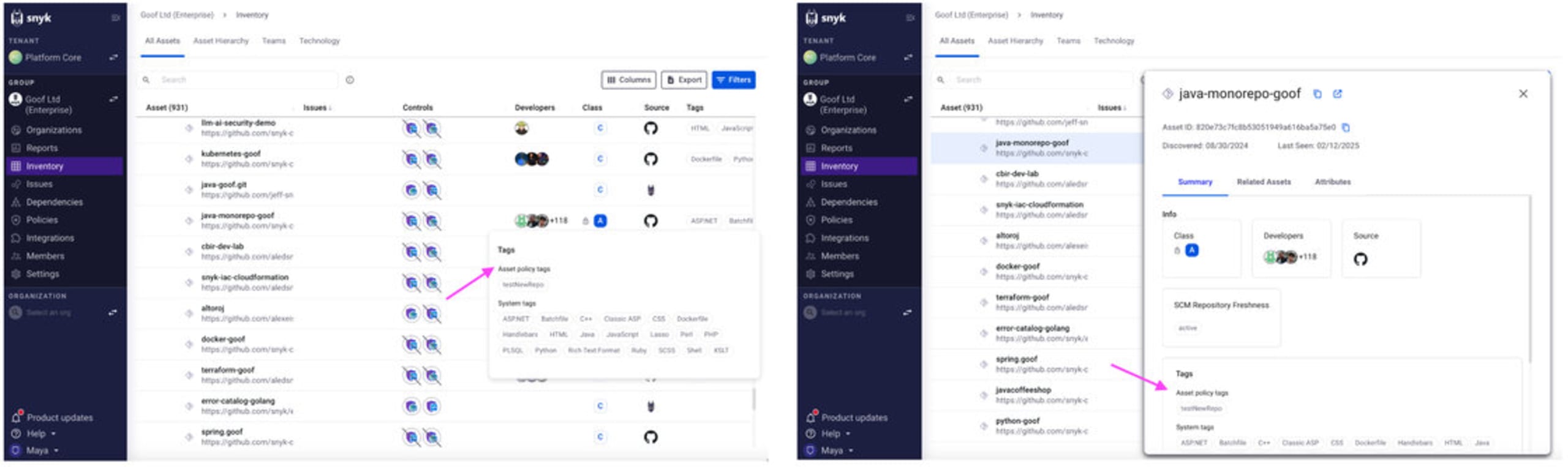
We're thrilled to announce that Snyk AppRisk Pro is now available. Snyk AppRisk Pro expands on Snyk AppRisk’s core capabilities of application discovery & visibility, security coverage management, and risk-based prioritization with the following new capabilities:

  • Application Analytics - a new data analytics capability offering AppSec teams a comprehensive overview of their AppSec program at a macro level, facilitating tracking, measurement, and reporting on program performance and risk KPIs.

  • Extended security coverage visibility - new integrations with Nightfall AI and GitGuardian extend visibility of Snyk AppRisk to secret detection tools for managing security coverage on your repositories.

  • Risk based prioritization with runtime intelligence - integrations with leading security and observability solutions, as well as a new, eBPF-based Snyk runtime sensor, provide runtime context to enable security teams to prioritize what to fix first and to assess any gaps in Snyk Container coverage vs. running containers. These runtime data sources are in a closed beta.

To learn more, please reference our product documentation and reach out to your account team with any questions.

Headshot of Chris Suen

Chris Suen | Senior Director, Product Management

Filter through your audit logs more efficiently with the new GA REST version of the audit logs API, and api.access is now opt-in

New

We've made some great new improvements to our existing GA REST audit log API to help you filter and find the logs you need more efficiently:

  1. Filter over time - Previously, users faced challenges filtering audit logs due to the smallest unit being within a day. This difficulty escalates for users who may need to sift through millions of logs to find specific events. Now, by expanding filtering options to larger time periods and reducing the minimum granularity to 1-second ranges, customers can broaden their search while pinpointing crucial audit events like security breaches or for external audits.

  2. Exclude events - some users can have millions of audit logs being produced every day so they need the ability to exclude certain events to reduce the noise of what they have to sieve through. We already have exclude events in the API today but you can only provide 1 include or exclude event, so we’ve improved this by providing multiple include and exclude events.

For more information, check out the API documentation, and we hope you update your version and enjoy these new improvements soon!

In addition, we are making api.access endpoint to be opt-in for users rather than automatically returning results due to feedback that api.access causes noise problems. We’re actively working towards a proper audit event for actions.

Headshot of Waleed Arshad

Waleed Arshad | Senior Product Manager

Introducing Semantic Versioning, and Release Channels to Snyk CLI

New

We are pleased to introduce Semantic Versioning and Release Channels to Snyk CLI from v.1.1291.0 onwards. These changes will allow all Snyk customers to select a sustainable release cadence that works for them, and help optimize governance and compliance overhead for enterprise customers.

Snyk CLI v.1.1291.0 follows three part MAJOR.MINOR.PATCH notation going forward, details for which are available in product documentation.

We are introducing the following release channels:

preview “pre-release” builds are deployed regularly up to multiple times a day and contain the latest changes.

  • Version Pattern: v{MAJOR}.{MINOR}.{PATCH}-preview

  • Cadence: Varying

  • Availability:

    • https://static.snyk.io/cli/preview/

    • https://static.snyk.io/fips/cli/preview/

rc “release candidate” pre-releases are deployed at distinct points in time and contain a version of the CLI that is expected to be promoted to stable after additional testing

  • Version Pattern: v{MAJOR}.{MINOR}.{PATCH}-rc

  • Cadence: every 8 weeks, 2 weeks before a stable release (hotfix releases possible)

  • Availability:

    • https://static.snyk.io/cli/rc/

    • https://static.snyk.io/fips/cli/rc/

stable stable builds are deployed at distinct points in time after being additionally tested and considered stable.

  • Version Pattern: v{MAJOR}.{MINOR}.{PATCH}

  • Cadence: every 8 weeks, end of an even month (hotfix releases possible)

  • Availability:

    • https://github.com/snyk/cli/releases/

    • https://static.snyk.io/cli/stable/

    • https://static.snyk.io/fips/cli/stable/

    • npm

    • brew

    • scoop

    • Snyk-images

Existing Snyk CLI, and supported IDEs users are opted into the stable channel by default. You can find more information on how to opt into a release channel of your choice in our product documentation.

Headshot of Chintan Bellchambers

Chintan Bellchambers

Snyk Code Improvements: Support for Python FastAPI

Improved

We are pleased to announce that Snyk Code now includes support for the FastAPI framework. This update enhances our ability to identify and analyze FastAPI-specific sources and sinks, improving the detection of security vulnerabilities in applications using this framework.

This new feature is integrated into Snyk Code’s existing scanning processes and is available for use immediately for all Python rules. We recommend conducting a fresh scan to benefit from the updated functionality.

As always, our goal is to assist you in enhancing your application's security by providing precise, framework-specific vulnerability detection. For detailed information or support, please reach out to your account team.

Thank you for using Snyk Code to secure your software development.

Headshot of Ranko Cupovic

Ranko Cupovic | Principal Product Manager

DeepCode AI Fix - VS Code UX Improvements

Improved

We are very happy to introduce an improved DeepCode AI Fix experience for Visual Studio Code. Developers will have a more streamlined experience by:

  • Having visibility of how many issues are autofixable

  • Being able to generate fixes from the issue details panel

  • Having a preview of the possible fixes before they are applied

  • Guidance to the code that has changed

These improvements come on top of our general fix quality improvements we have been working on, which you can read about on our new blog post!

For details on how to get started with DeepCode AI Fix and start fixing Snyk Code issues, please visit our documentation

DeepCode AI in the VS Code IDE

Group Custom Roles are now GA

New

We're excited to introduce the option of creating custom roles at the Group level alongside the existing custom ones at the Organization level.

Enterprise users can now extend the pre-defined Group roles by introducing new roles with customized sets of permissions. This allows admins to fine-tune access to parts of the Snyk product and better map team members' responsibilities to their permissions inside the Snyk app.

The new custom Group roles can be manually assigned on the Members page or automatically assigned using an updated version of Custom Mapping. Reach out to your account team to implement this option.

For more details on creating Group-level custom roles, see the documentation available here.

Test an SBOM using the Snyk CLI

Early access

We are very pleased to announce that you can now use the Snyk CLI to scan CycloneDX and SPDX SBOM files!

Snyk has enabled SBOM testing via the API for a while. Adding this to the CLI makes it significantly easier to test SBOMs produced using other tools, or SBOMs received from 3rd-party vendors.

To get started install Snyk CLI v1.1290 or above, and run the following command (using your actual SBOM file name 😉).

snyk sbom test --experimental --file=bom.cdx.json

This feature is in Open Beta, the following SBOM formats are currently supported.

  • CycloneDX: JSON version 1.4 and 1.5

  • SPDX: JSON version 2.3

See snyk help or Snyk User Docs for more usage details 🙌